Cloud computing has completely changed the way businesses and individuals use technology. Instead of purchasing expensive hardware, installing software manually, and managing complex IT infrastructure, users can now access powerful computing resources through the internet. From storing files online to running large-scale business applications, cloud services make technology faster, more flexible, and more affordable.
When exploring cloud computing, three major service models are commonly discussed: Infrastructure as a Service (IaaS), Platform as a Service (PaaS), and Software as a Service (SaaS). These three models provide different levels of control, management, and flexibility depending on the needs of users and organizations.
Understanding the differences between IaaS vs PaaS vs SaaS helps businesses choose the right cloud solution, reduce costs, improve productivity, and build better technology strategies.
This guide explains what IaaS, PaaS, and SaaS are, how they work, their benefits, differences, use cases, and how to choose the right cloud service model.
What Are Cloud Computing Services?
Cloud computing services are technology solutions delivered over the internet instead of being hosted on local computers or company-owned servers.
Cloud providers offer resources such as:
- Servers
- Storage
- Databases
- Networking
- Software applications
- Development tools
- Security services
Users can access these resources whenever needed without purchasing and maintaining physical infrastructure.
Cloud computing services are usually based on a pay-as-you-use model, allowing businesses to control costs and scale resources according to demand.
Understanding the Three Cloud Service Models
The three main cloud service models are:
- Infrastructure as a Service (IaaS) – Provides virtual infrastructure.
- Platform as a Service (PaaS) – Provides a development platform.
- Software as a Service (SaaS) – Provides ready-to-use software applications.
Each model offers different levels of responsibility and control.
What Is Infrastructure as a Service (IaaS)?
Infrastructure as a Service (IaaS) is a cloud computing model that provides virtualized computing resources through the internet.
Instead of buying physical servers, businesses rent infrastructure from cloud providers.
IaaS provides:
- Virtual machines
- Storage systems
- Networks
- Processing power
- Data center resources
The cloud provider manages the physical hardware, while users manage their operating systems, applications, and data.
How Does IaaS Work?
With IaaS, users create virtual environments based on their requirements.
For example, a company launching a website may need:
- A virtual server
- Storage space
- Database resources
- Network configuration
Instead of purchasing expensive equipment, the company can rent these resources from an IaaS provider.
This allows businesses to quickly create and manage IT infrastructure without large upfront investments.
Benefits of IaaS
Cost Reduction
IaaS eliminates the need to purchase expensive physical servers and networking equipment.
Businesses only pay for the resources they use.
Scalability
Companies can increase or decrease computing resources depending on demand.
This is useful for websites and applications that experience changing traffic levels.
Greater Control
IaaS provides more control compared with other cloud models.
Users can customize:
- Operating systems
- Applications
- Security settings
- Network configurations
Faster Deployment
New servers and infrastructure can be created within minutes instead of weeks.
Common Uses of IaaS
IaaS is commonly used for:
- Website hosting
- Application development
- Data backup
- Testing environments
- Business applications
- Big data processing
- Disaster recovery
Organizations with technical teams often prefer IaaS because it provides maximum flexibility.
What Is Platform as a Service (PaaS)?
Platform as a Service (PaaS) provides developers with a complete environment for creating, testing, and deploying applications.
Instead of managing servers and operating systems, developers can focus on writing and improving software.
PaaS includes:
- Development tools
- Database management
- Operating systems
- Programming frameworks
- Application hosting environments
How Does PaaS Work?
PaaS provides a ready-made platform where developers can build applications without worrying about infrastructure management.
For example, a software development team can create a mobile or web application using PaaS tools without setting up servers manually.
The cloud provider manages:
- Hardware
- Network infrastructure
- Operating systems
- Maintenance
Developers focus mainly on application development.
Benefits of PaaS
Faster Application Development
Developers can build applications faster because many tools and services are already available.
Reduced Management Work
PaaS removes the need to manage servers and infrastructure.
Better Collaboration
Development teams can work together using shared cloud-based environments.
Cost Efficiency
Businesses save money by reducing infrastructure management requirements.
Common Uses of PaaS
PaaS is commonly used for:
- Web application development
- Mobile app development
- Software testing
- API development
- Database management
- Enterprise applications
It is especially popular among software companies and developers.
What Is Software as a Service (SaaS)?
Software as a Service (SaaS) delivers complete software applications through the internet.
Users do not need to install or maintain software on their computers. They simply access applications through a web browser or mobile app.
Examples of SaaS applications include:
- Email platforms
- Online office tools
- Customer relationship management software
- Accounting applications
- Project management tools
How Does SaaS Work?
SaaS applications are hosted and managed by cloud providers.
The provider handles:
- Software updates
- Security
- Maintenance
- Infrastructure
- Data storage
Users simply log in and use the software.
Benefits of SaaS
Easy Access
Users can access SaaS applications from almost anywhere with an internet connection.
No Installation Required
There is no need to download or install software manually.
Automatic Updates
Software updates happen automatically without user involvement.
Lower Costs
Businesses can use powerful software through affordable subscription plans.
Common Uses of SaaS
SaaS is widely used for:
- Business communication
- Online meetings
- Customer management
- Marketing tools
- Accounting
- File sharing
- Team collaboration
SaaS is popular because it is simple and requires minimal technical knowledge.
IaaS vs PaaS vs SaaS: Key Differences
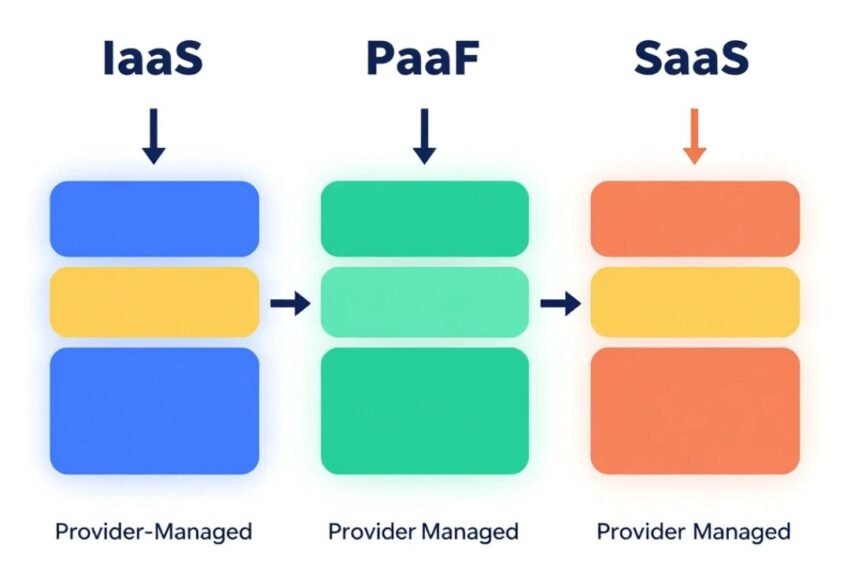
Level of Control
IaaS
Provides the highest level of control. Users manage applications, operating systems, and configurations.
PaaS
Provides a balance between control and convenience. Developers manage applications while the provider manages infrastructure.
SaaS
Provides the least control because the provider manages almost everything.
Target Users
IaaS
Best for:
- IT professionals
- System administrators
- Large organizations
PaaS
Best for:
- Developers
- Software companies
- Application teams
SaaS
Best for:
- General users
- Businesses
- Non-technical teams
Management Responsibility
IaaS
Users manage more components.
PaaS
The provider manages infrastructure while users manage applications.
SaaS
The provider manages the entire application environment.
IaaS vs PaaS vs SaaS Comparison Table
| Feature | IaaS | PaaS | SaaS |
|---|---|---|---|
| Provides | Infrastructure | Development Platform | Software Applications |
| User Control | High | Medium | Low |
| Best For | IT Teams | Developers | End Users |
| Maintenance | User Managed | Shared | Provider Managed |
| Flexibility | Very High | High | Limited |
| Technical Knowledge | Advanced | Moderate | Minimal |
How to Choose the Right Cloud Service Model
Choosing between IaaS, PaaS, and SaaS depends on your goals.
Choose IaaS If:
- You need full infrastructure control.
- You manage complex applications.
- You have an experienced IT team.
- You need customized environments.
Choose PaaS If:
- You develop software applications.
- You want faster development.
- You don’t want to manage servers.
- Your team focuses on coding.
Choose SaaS If:
- You need ready-to-use software.
- You want simple solutions.
- You have limited technical resources.
- You prefer subscription-based services.
Security Considerations in Cloud Services
Security is important for all cloud models.
Businesses should focus on:
- Strong passwords
- Multi-factor authentication
- Data encryption
- Access control
- Regular backups
- Security monitoring
Although cloud providers provide security features, users must also follow responsible security practices.
Future of Cloud Computing Services
Cloud computing continues to grow with technologies such as Artificial Intelligence, Machine Learning, automation, and edge computing. Businesses are increasingly combining different cloud models to create flexible and powerful technology environments.
Many organizations use a combination of IaaS, PaaS, and SaaS depending on their needs. This approach allows companies to improve efficiency, reduce costs, and innovate faster.
As digital transformation continues, cloud computing services will remain a critical part of modern business strategies.
Frequently Asked Questions (FAQs)
What is the difference between IaaS, PaaS, and SaaS?
IaaS provides infrastructure, PaaS provides a development platform, and SaaS provides ready-to-use software applications.
Which cloud model gives the most control?
IaaS provides the highest level of control because users manage more parts of the infrastructure.
Is SaaS better than IaaS?
Neither is better. The right choice depends on business requirements. SaaS is easier to use, while IaaS offers more flexibility.
Who should use PaaS?
PaaS is ideal for developers and companies that build applications without wanting to manage servers.
Are cloud services secure?
Yes, cloud services include advanced security features, but users must also follow cybersecurity best practices.
Conclusion
Cloud computing services have transformed how businesses access and use technology. Understanding the differences between IaaS, PaaS, and SaaS helps organizations select the right solution based on their needs, budget, and technical requirements.
IaaS provides maximum control over infrastructure, PaaS simplifies application development, and SaaS delivers convenient software solutions for everyday users. Each model offers unique benefits and plays an important role in modern digital transformation.
As businesses continue adopting cloud technology, choosing the right cloud service model will help improve efficiency, reduce costs, strengthen security, and support long-term growth.