Cloud computing is one of the most important technologies in the modern digital world. Whether you’re using online email services, streaming movies, storing photos, attending virtual meetings, or running a business website, you’re likely using cloud computing every day without even realizing it.
In the past, businesses had to purchase expensive servers, networking equipment, and storage devices to run their applications. Today, cloud computing allows individuals and organizations to access these computing resources through the internet without owning physical infrastructure. This has made technology more affordable, flexible, and accessible for everyone.
If you’re new to cloud computing, this beginner-friendly guide will explain what cloud computing is, how it works, its types, advantages, disadvantages, common uses, and why it has become a key part of today’s technology landscape.
What Is Cloud Computing?
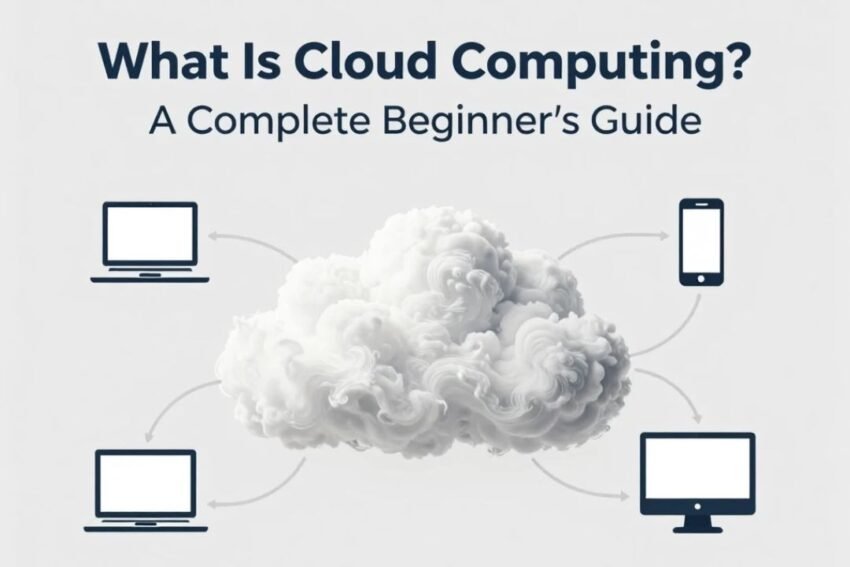
Cloud computing is the delivery of computing services over the internet instead of using local computers or physical servers. These services include storage, databases, servers, networking, software, analytics, and computing power.
Instead of buying expensive hardware and maintaining it yourself, you rent computing resources from a cloud provider whenever you need them.
This means you can access files, applications, and services from almost any internet-connected device.
Common cloud services include:
- Online file storage
- Email platforms
- Video conferencing
- Website hosting
- Cloud databases
- Business software
- Artificial Intelligence tools
- Backup services
Cloud computing allows users to pay only for the resources they actually use.
How Does Cloud Computing Work?
Cloud computing relies on powerful data centers located around the world. These data centers contain thousands of servers that store and process information.
Here’s a simple explanation of how it works:
- You connect to a cloud service using the internet.
- Your request is sent to remote cloud servers.
- The servers process your request.
- The requested data or application is delivered back to your device.
- Any changes you make are automatically saved on the cloud servers.
Because the servers are managed by the cloud provider, users don’t need to worry about hardware maintenance or software updates.
Why Is Cloud Computing Important?
Cloud computing has changed the way people use technology.
Instead of relying on one computer or office server, users can access their data from anywhere.
Major reasons cloud computing is important include:
- Easy access to information
- Lower technology costs
- Better collaboration
- Increased flexibility
- Faster software deployment
- Improved disaster recovery
- Automatic software updates
- Better business continuity
These advantages have made cloud computing essential for organizations of every size.
Types of Cloud Computing
Cloud computing can be divided into different service models.
Infrastructure as a Service (IaaS)
Infrastructure as a Service provides virtual hardware through the internet.
Users receive access to:
- Virtual servers
- Storage
- Networking
- Computing resources
The cloud provider manages the physical infrastructure while customers manage applications and operating systems.
Best For
- Developers
- IT departments
- Startups
- Growing businesses
Platform as a Service (PaaS)
Platform as a Service provides everything developers need to build, test, and deploy software.
The provider manages servers, operating systems, and infrastructure.
Developers simply focus on creating applications.
Benefits
- Faster development
- Simplified deployment
- Less maintenance
- Built-in development tools
Software as a Service (SaaS)
Software as a Service delivers software through a web browser.
Instead of installing programs on a computer, users simply sign in online.
Examples include:
- Email services
- Office productivity tools
- Customer management software
- Video meeting platforms
Advantages
- Easy access
- Automatic updates
- No installation
- Subscription-based pricing
Cloud Deployment Models
Cloud services can also be categorized based on how they are deployed.
Public Cloud
Public cloud services are available to many customers through a shared infrastructure managed by the provider.
Advantages
- Affordable
- Easy to scale
- Reliable
- Low maintenance
Private Cloud
Private cloud infrastructure is dedicated to a single organization.
Benefits
- Better security
- More control
- Greater customization
- Improved compliance
Hybrid Cloud
Hybrid cloud combines both public and private cloud environments.
Organizations can keep sensitive information private while using public cloud resources for less critical tasks.
Advantages
- Flexibility
- Better scalability
- Improved performance
- Cost efficiency
Key Benefits of Cloud Computing
Cloud computing offers many advantages for beginners and businesses alike.
Lower Costs
There is no need to purchase expensive servers or networking equipment.
Businesses only pay for the services they use.
Scalability
Resources can easily be increased or reduced based on demand.
This helps businesses manage growth without replacing hardware.
Flexibility
Cloud services are accessible from laptops, desktops, tablets, and smartphones.
Users can work from almost anywhere.
Better Collaboration
Multiple users can work on the same files simultaneously.
This improves teamwork and productivity.
Automatic Updates
Cloud providers regularly update software and security systems automatically.
Users don’t have to install updates manually.
Disaster Recovery
Cloud backups help restore important data after hardware failures, accidental deletion, or cyberattacks.
Improved Performance
Modern cloud providers use high-performance servers that deliver fast and reliable services.
Common Uses of Cloud Computing
Cloud computing is used across almost every industry.
Popular applications include:
- Website hosting
- Cloud storage
- Online backups
- Business software
- Mobile applications
- Artificial Intelligence
- Data analytics
- Video streaming
- Online education
- Remote work
- Gaming services
- E-commerce platforms
Most internet-based services today rely on cloud computing.
Cloud Computing Security
Security is one of the biggest priorities for cloud providers.
Modern cloud platforms protect customer information using:
- Data encryption
- Firewalls
- Identity management
- Access controls
- Multi-factor authentication
- Threat monitoring
- Secure data centers
- Automatic backups
Although providers secure the infrastructure, users should also follow safe security practices.
Best Practices for Beginners
If you’re new to cloud computing, follow these recommendations.
- Use strong passwords.
- Enable multi-factor authentication.
- Back up important files.
- Keep software updated.
- Limit account access.
- Review account activity regularly.
- Avoid using unsecured public Wi-Fi.
- Learn basic cybersecurity practices.
These habits improve cloud security and reduce risks.
Challenges of Cloud Computing
Cloud computing also has some limitations.
Common challenges include:
- Internet dependency
- Privacy concerns
- Service outages
- Data migration complexity
- Vendor lock-in
- Compliance requirements
- Misconfigured security settings
- Unexpected usage costs
Planning ahead helps minimize these issues.
Cloud Computing for Businesses
Businesses increasingly use cloud technology to improve efficiency and reduce costs.
Cloud computing helps organizations:
- Launch applications faster
- Improve collaboration
- Support remote employees
- Store large amounts of data
- Reduce infrastructure costs
- Improve customer service
- Scale operations quickly
- Increase business flexibility
Cloud solutions help businesses focus on innovation rather than hardware management.
Future of Cloud Computing
Cloud computing continues to evolve with emerging technologies such as Artificial Intelligence (AI), Machine Learning (ML), Edge Computing, Internet of Things (IoT), and serverless computing. Businesses are also adopting hybrid and multi-cloud strategies to improve performance, security, and reliability.
As internet connectivity becomes faster and more reliable, cloud computing will continue to play a major role in digital transformation across industries, making advanced technology more accessible to businesses and individuals alike.
Frequently Asked Questions (FAQs)
What is cloud computing in simple words?
Cloud computing is the use of internet-based services to access storage, software, servers, and other computing resources instead of relying on your own computer or physical hardware.
Is cloud computing only for businesses?
No. Individuals also use cloud computing every day for email, online storage, streaming services, mobile apps, and collaboration tools.
What are the main types of cloud computing?
The three main service models are Infrastructure as a Service (IaaS), Platform as a Service (PaaS), and Software as a Service (SaaS).
Is cloud computing secure?
Yes. Most cloud providers use advanced security technologies such as encryption, firewalls, identity management, and continuous monitoring. Users should also follow good security practices.
What are the biggest advantages of cloud computing?
Cloud computing offers flexibility, lower costs, scalability, automatic updates, better collaboration, disaster recovery, and access from almost anywhere.
Conclusion
Cloud computing has revolutionized the way people and businesses use technology by providing easy access to computing resources over the internet. Instead of investing in expensive hardware and maintaining complex infrastructure, users can access storage, applications, databases, and computing power whenever they need them.
For beginners, understanding the basics of cloud computing is an important step toward building digital skills. Whether you’re storing files online, running a website, collaborating with a team, or developing software, cloud computing offers a reliable, flexible, and cost-effective solution. As technology continues to advance, cloud computing will remain one of the most valuable tools for innovation, productivity, and business growth.